
Why Learning Canva Is Essential for Marketing Students and How to Use It Effectively
If you’re studying marketing, you probably understand the theory. You know how campaigns work, you understand target audiences, and you’ve learned about messaging and strategy.
But when it comes to actually creating something like a social media post, a visual, or a campaign asset, it suddenly feels harder than expected. That’s because knowing marketing and executing marketing activities are two very different things.
This is where many students feel stuck. You understand what should be done, but translating that into something real feels like a completely different skill. And in a market where businesses expect faster output and more hands-on ability from junior talent, that gap becomes even more noticeable.
Why Canva Matters in Marketing
This is where an important realisation comes in. Marketing is not just about ideas, it’s about how clearly you communicate them to your target audience. And a big part of that communication happens through visuals.
People don’t engage with content the way they used to. They scan quickly, make fast decisions, and often judge whether something is worth their attention within seconds. This makes visual communication a key part of how marketing works.
That’s why Canva becomes more than just a design tool. It becomes a way to apply what you’ve learned, turn ideas into actual content, and start practising real marketing skills. It gives you the ability to move from thinking about marketing to actually doing it.
How to Use Canva Effectively
Most beginners use Canva to make things “look good,” but effective use of Canva is about making designs work. At the beginning, designs often feel cluttered, unclear, or inconsistent, and that’s completely normal. The issue isn’t Canva itself, but the lack of understanding of how design works.
The real shift happens when you stop asking, “Does this look good?” and start asking, “Does this make sense to the person viewing it?” You begin to design with intention - making the main message clear, guiding the viewer’s attention, and structuring content so it flows naturally.
As you develop this skill, a few key design principles start to make a big difference. Some of these are,
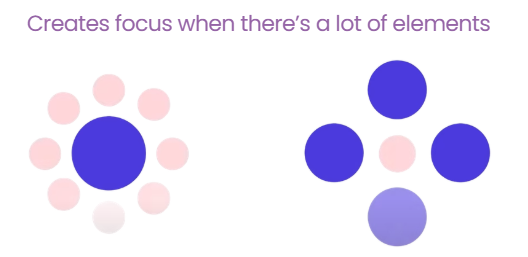
Contrast helps important elements stand out
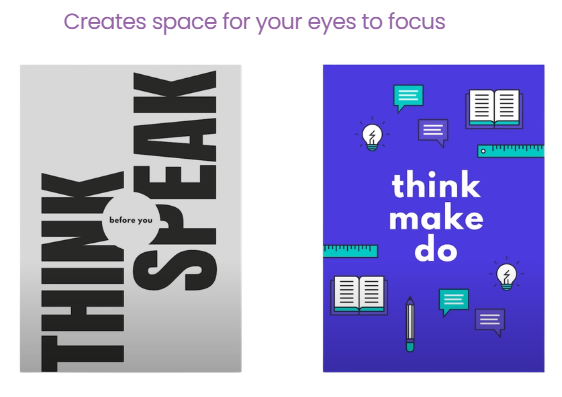
White space makes content easier to process
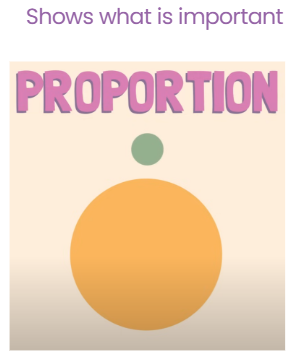
Proportion shows what matters most
Alignment, Spacing, and Balance make designs feel structured and professional
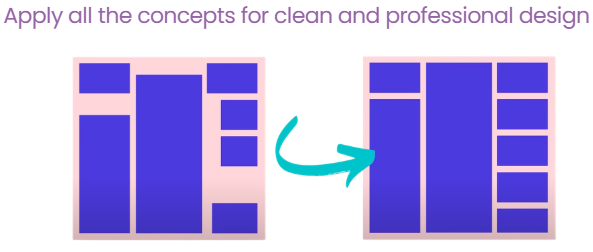
When you apply these principles, your designs don’t just look better, they communicate more effectively.
Over time, this also changes how you think. Instead of placing elements randomly, you start making deliberate decisions about what the viewer should notice first, what they should understand next, and what action they should take.
Using Canva More Efficiently
Once you understand the fundamentals, Canva becomes much easier and faster to use. Simple techniques can significantly improve both your workflow and output. Adding shadow effects can create depth, adjusting line spacing improves readability, and using alignment tools like “Tidy Up” keeps everything structured.
Duplicating elements helps maintain consistency, while exploring AI tools like Magic Layers can speed up your workflow. These aren’t just small tricks; they reflect how work is done in real marketing environments, where both speed and quality matter. If you want to see how these techniques are applied in practice, you can watch the full Canva training session via the link below:
https://youtu.be/tVFYkCtOLs8?si=Rz3PHgXmqxaSPS1S
Being able to produce work efficiently without compromising clarity is a valuable skill, especially when managing multiple tasks, deadlines, or projects at once.
From Practice to Real Experience
Practising on your own is a great starting point, but real growth happens when you apply those skills in real scenarios. Creating for yourself is very different from creating for a client or a business, where expectations, feedback, and outcomes matter.
In real situations, your work is not just about looking good; it needs to achieve a purpose, communicate clearly, and align with a broader goal. This is often the gap students face moving from practice to real-world application.
How CampusLife Helps You Apply These Skills
This is where CampusLife plays an important role. At CampusLife, you’re not just learning tools like Canva; you’re applying them in real projects. You get the opportunity to work on real client work, receive structured feedback, and improve both your design and marketing thinking.
See some of the works done by our interns:
Example 1:

Example 2

Example 3

This is what helps turn your skills into practical, job-ready ones. Instead of just knowing how to use Canva, you learn how to use it in a way that creates real value in a business context.